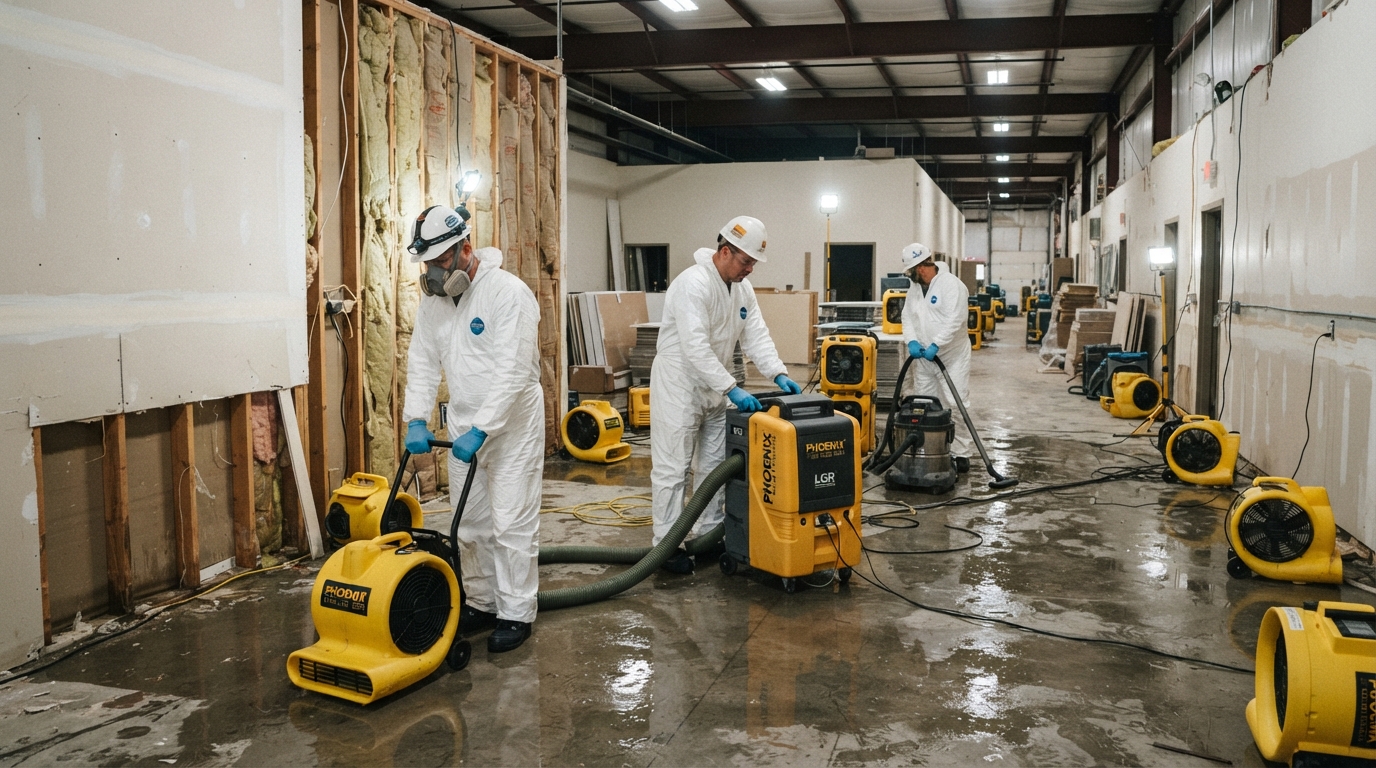
A homeowner calls at 2:00 AM. A pipe burst in their kitchen and water is spreading across the floor. They search "water damage restoration near me" and call the first company that answers. A property manager calls on a Saturday — a small fire in a tenant space left smoke damage throughout the unit. They need someone on-site today. A facility director calls on a holiday — mold was discovered in an HVAC system and they need an assessment before reopening.
Restoration companies operate in a world of urgency. Every call represents a property owner in distress, and the first company that responds professionally usually gets the job. But urgency also means risk: safety concerns, insurance complexity, service-area limits, and the need for human judgment at critical moments. This guide walks through a practical call-handling system for restoration companies — covering missed and after-hours calls, safety screening, service-area validation, insurance-information capture, human handoff, and tracking — without diagnosing damage, making unsafe promises, or replacing the judgment your team provides.
Why Response Speed Matters in Restoration
In restoration, the relationship between speed and winning the job is direct. A property owner with water spreading across their floor is not comparison shopping — they are calling companies until someone answers. If you do not pick up, the next call goes to your competitor.
What "Fast" Means in Restoration
- Water damage (active leak, flooding): Respond within minutes. The caller needs someone on the way.
- Fire damage (after fire is out, smoke/soot cleanup): Respond within hours. The caller needs a plan and a timeline.
- Mold discovery (not an active emergency but time-sensitive): Respond same day. The caller needs an assessment.
- Storm damage (roof, windows, water intrusion): Respond within hours. The caller needs temporary mitigation and a plan.
Your call-handling system should distinguish between these urgency levels and respond accordingly. A mold assessment inquiry does not need the same response speed as an active flood — but all of them need a faster response than most other commercial services.
Handling Missed and After-Hours Calls
Most restoration inquiries do not arrive during business hours. They arrive at night, on weekends, and on holidays — exactly when your office is closed. How you handle those calls determines whether you win the job.
Missed-Call Text-Back
If a call goes unanswered, the caller should receive an immediate text that:
- Identifies your company by name
- Acknowledges the urgency
- Collects basic information (address, type of damage, whether it is an active emergency)
- Sets expectations for when you will call back
Sample Missed-Call Text
"Hi, this is [Company Name] Restoration. We received your call and want to help right away. Please text us: 1) Your address, 2) Type of damage (water, fire, mold, storm), 3) Is it active right now? We will call you back within [timeframe]. If this is a life-threatening emergency, please call 911."
After-Hours Routing
For active emergencies, an after-hours system should route the call to an on-call team member — not just take a message. Options include:
- Call forwarding to an on-call phone during nights and weekends
- AI voice receptionist that can answer immediately, screen for urgency, and route emergencies to your on-call team
- Escalation rules that trigger a call or text to the on-call person when an active emergency is identified
The goal is not to replace your team. It is to ensure no urgent call goes unanswered and no time is lost between the first ring and a human response.
Safety Screening First
Before scheduling a site visit, your call-handling system must screen for safety. Restoration work follows emergencies that may involve structural damage, electrical hazards, gas leaks, contaminated water, or other risks.
Safety Screening Questions
- Has the source been stopped? (Water shut off, fire out, etc.)
- Is there standing water near electrical panels or outlets?
- Is there a gas smell or suspected structural damage?
- Is anyone injured?
- Has the property been cleared by fire department or utilities if applicable?
What Not to Do
- Do not diagnose damage over the phone — You cannot assess structural integrity, electrical safety, or contamination remotely. Tell the caller you need to see the property.
- Do not make safety promises — Do not say "it is safe to stay in the home" or "the structure is fine." You have not assessed it.
- Do not promise insurance coverage — You do not know what their policy covers. Capture insurance information but direct coverage questions to their adjuster.
- Do not quote pricing before assessment — Restoration pricing depends on scope, which is determined on-site.
If the caller reports conditions that may be unsafe, advise them to contact emergency services or their utility company and document the recommendation. Safety comes before scheduling.
Service-Area Validation
Restoration requires on-site work, so service-area validation matters more than in many other commercial services. If the caller is outside your coverage area, you need to tell them quickly and, if possible, refer them to a trusted partner.
Service-Area Screening
- Ask for the property address early in the call.
- Check it against your defined service area.
- If outside your area: "We are not able to serve [area], but I can recommend [partner company] if you would like."
- If inside your area: Proceed with scheduling and information capture.
Fast service-area validation saves time for both you and the caller. It also prevents the frustration of scheduling a visit only to realize you cannot serve that location.
Insurance-Information Capture
Most restoration jobs involve insurance. Capturing insurance information early helps you prepare for the claim process — but be careful not to make promises about coverage.
What to Capture
- Insurance company name
- Policy number (if available)
- Claim number (if already filed)
- Adjuster contact information (if assigned)
- Whether the caller has already contacted their insurance company
What Not to Say
- Do not say "Your insurance will cover this." You do not know their policy.
- Do not say "We will handle everything with your insurance." Be specific about what you will and will not do.
- Do not discourage the caller from contacting their insurance company.
Frame it as: "We can help document the damage for your insurance claim, but your adjuster determines what is covered under your policy. We recommend contacting your insurance company as soon as possible."
Human Handoff
Automation and call-handling systems can answer, screen, and capture information 24/7. But restoration requires human judgment at critical moments:
- Active emergencies — A person should be dispatched or at least contacted immediately.
- Safety concerns — If the caller reports unsafe conditions, a human should provide guidance.
- Scope assessment — Pricing and scope require on-site evaluation by a trained professional.
- Insurance discussions — Complex claim questions should be handled by your team, not an automated system.
- Compassion — Restoration callers are often stressed, frightened, or overwhelmed. A human voice at the right moment builds trust.
Define clear handoff rules: when does the automated system stop and a person take over? For restoration, the answer is often "immediately for emergencies, within hours for non-urgent inquiries." Document these rules so your team knows when to step in.
Sample Call and Text Flows
Active Emergency Call Flow
- 1Answer immediately — "Thank you for calling [Company Name] Restoration. Are you dealing with an active water, fire, or storm emergency right now?"
- 1Safety screen — "Has the source been stopped? Is there any standing water near electrical panels? Is anyone injured?"
- 1Service-area check — "What is the address of the property?"
- 1Capture basics — "What type of damage is it? How long ago did it start?"
- 1Dispatch or handoff — "We can have a team at your property within [timeframe]. I am connecting you with our on-call technician now."
After-Hours Text Flow
- 1Missed-call text — "Hi, this is [Company Name] Restoration. We received your call. Please text your address, type of damage, and whether it is active. We will call you back within [timeframe]."
- 1Caller responds — "123 Main St, water damage from burst pipe, active right now"
- 1Escalation text — "Thank you. This appears to be an active emergency. I am notifying our on-call team now. They will call you within [timeframe]. If this is life-threatening, call 911."
- 1On-call team notification — Automated alert to on-call technician with caller info and address.
Non-Emergency (Mold Assessment) Text Flow
- 1Missed-call text — "Hi, this is [Company Name] Restoration. We received your call. Please text us the property address and what you are seeing. We will call you back during business hours tomorrow."
- 1Caller responds — "456 Oak Ave, found mold near AC unit"
- 1Business-hours follow-up — "Hi [Name], thanks for the information about the mold at 456 Oak Ave. We can schedule an assessment on [date/time] or [date/time]. Which works for you?"
Tracking and Metrics
A simple tracking system helps you understand how well your call-handling process works and where opportunities are being lost.
Key Metrics
- Response time — How quickly does the first response reach the caller?
- Missed-call recovery rate — What percentage of missed calls result in a returned conversation?
- After-hours coverage — What percentage of after-hours calls are answered or text-back within 5 minutes?
- Service-area rejection rate — How many calls are outside your coverage area?
- Dispatch time — How long from first contact to team on the way?
- Lead source — Where did the caller find you? (Google, referral, ad, insurance referral)
Track these metrics weekly. Patterns emerge: maybe after-hours response is slower than you think, or a specific service area generates more calls than you can serve. This data helps you improve. See the results we track for examples of what to measure.
30-Day Rollout Plan
**Week 1: Response Foundation**
- Set up missed-call text-back with restoration-specific messaging.
- Define your safety screening questions and document them.
- Identify your service area and create a quick-reference list for validation.
**Week 2: After-Hours and Escalation**
- Set up after-hours call routing (forwarding or AI voice receptionist).
- Define escalation rules for active emergencies vs. non-urgent inquiries.
- Notify your on-call team of the new process and test it.
**Week 3: Information Capture and Pipeline**
- Build your insurance-information capture form.
- Set up CRM pipeline stages (New Inquiry, Safety Screened, Service-Area Validated, Scheduled, On-Site, Estimate, Follow-Up, Won, Lost).
- Begin tracking response time and missed-call recovery.
**Week 4: Review and Refine**
- Review two weeks of call data. Where are opportunities being lost?
- Adjust escalation timing or messaging based on what you see.
- Ask two recent clients for reviews on Google.
Implementation Checklist
- [ ] Missed-call text-back active with restoration-specific messaging
- [ ] Safety screening questions documented and integrated
- [ ] Service area defined and validation process in place
- [ ] After-hours routing configured (forwarding or AI voice receptionist)
- [ ] Escalation rules for emergencies vs. non-urgent defined
- [ ] Insurance-information capture form built
- [ ] CRM pipeline stages configured
- [ ] Response time and missed-call recovery tracking started
- [ ] Human handoff rules documented
- [ ] On-call team trained on the new process
Getting Started
Emergency lead response for restoration companies is not about technology replacing your team. It is about building a system that answers every call, screens for safety, captures the right information, validates service area, and escalates to a human at the right moment — so no urgent opportunity is lost and every caller gets the professional response they need during a stressful moment.
If you want help building and managing this system, explore our AI voice receptionist capabilities, review the results we track, browse our service areas, or contact us to request a Free Lead-Loss Audit and see where restoration opportunities may be slipping through the cracks in your current process.