When a facility manager or property manager needs pressure washing for a parking garage, warehouse exterior, or office building, they usually start with a Google search. The businesses that appear in the map results and organic listings are the ones that get called. If your Google Business Profile is incomplete, outdated, or misconfigured, you may be invisible at the exact moment a commercial prospect is looking for you.
This guide walks commercial pressure washing companies through a complete, practical setup of their Google Business Profile — from choosing the right business type to ongoing monthly maintenance. It is written for owners and operators who serve commercial properties across a metro area and want to improve their local visibility without cutting corners or risking suspension. For a broader marketing and follow-up system, see our pressure washing growth system.
A well-optimized profile does not guarantee rankings. Google considers hundreds of factors, and competition varies by market. What this guide does is help you put your best foot forward — accurately, honestly, and consistently — so that when a property manager searches for commercial pressure washing in your area, your business has a real chance of showing up.
Setting Up as a Service-Area Business
Most commercial pressure washing companies do not have a storefront where customers walk in. You operate from a base — often a yard or warehouse — and travel to job sites across a metro area. Google has a specific setup for this: the service-area business.
When you create or edit your profile, select "I deliver goods and services to my customers at their locations" rather than "I serve customers at my business address." This lets you list the cities and regions you serve without displaying a public address. If you do have a physical location that customers visit, you can list that address — but for most pressure washing companies, the service-area option is the correct choice.
Avoid Fake Addresses
Never use a fake address, a coworking space you do not actually occupy, or a friend's office to try to appear in a specific city. Google verifies addresses and can suspend profiles that misrepresent their location. A suspension can remove you from local search entirely, and reinstatement is not guaranteed. It is not worth the risk.
List the Communities You Actually Serve
In your service areas, list every city, town, or region where you genuinely operate. If you serve Austin, Round Rock, Cedar Park, Georgetown, and Kyle, list them all. You can see how we approach service areas on our own site — each market gets its own page with original, useful content. Apply the same principle to your profile: be accurate and thorough.
Do not list communities where you do not work in hopes of appearing in more searches. Google can detect mismatches between your listed service areas and your actual activity, and inflated lists can hurt your credibility.
Choosing the Right Categories
Categories tell Google what your business does, which helps them match your profile to relevant searches. Your primary category should be the most accurate description of your core service.
For commercial pressure washing, "Pressure Washing Service" is the most direct primary category. Add secondary categories that genuinely apply to your business — "Building Maintenance Company," "Property Maintenance," or "Exterior Cleaning Service" if you offer those services. Only add categories that reflect what you actually do. Adding irrelevant categories does not help and can confuse Google's matching system.
Writing an Accurate Business Description
Your business description is limited to 750 characters. Use this space to clearly describe what you do, who you serve, and the types of properties you work on. Mention commercial pressure washing, the surfaces you clean (concrete, brick, parking lots, building exteriors, fleet vehicles), and the communities you serve.
Write naturally. Do not stuff keywords or repeat the same phrase multiple times. A description that reads well to a property manager will also read well to Google. Focus on being clear and specific about your commercial services.
Adding Services and Attributes
Google lets you list individual services on your profile. Add each one: commercial pressure washing, parking lot cleaning, building exterior washing, graffiti removal, concrete cleaning, fleet washing, dumpster pad cleaning, and any others you offer. Each service gives Google more context about what you do and can help your profile appear in more specific searches.
Attributes are shorter labels — things like "Identifies as veteran-owned," "Language spoken," or "Online appointments." Fill in any that genuinely apply. They help property managers quickly confirm you meet their requirements.
Photos and Proof of Commercial Work
Photos are one of the first things a property manager looks at when evaluating a pressure washing company. They want to see that you handle commercial properties — not just residential driveways.
What to Upload
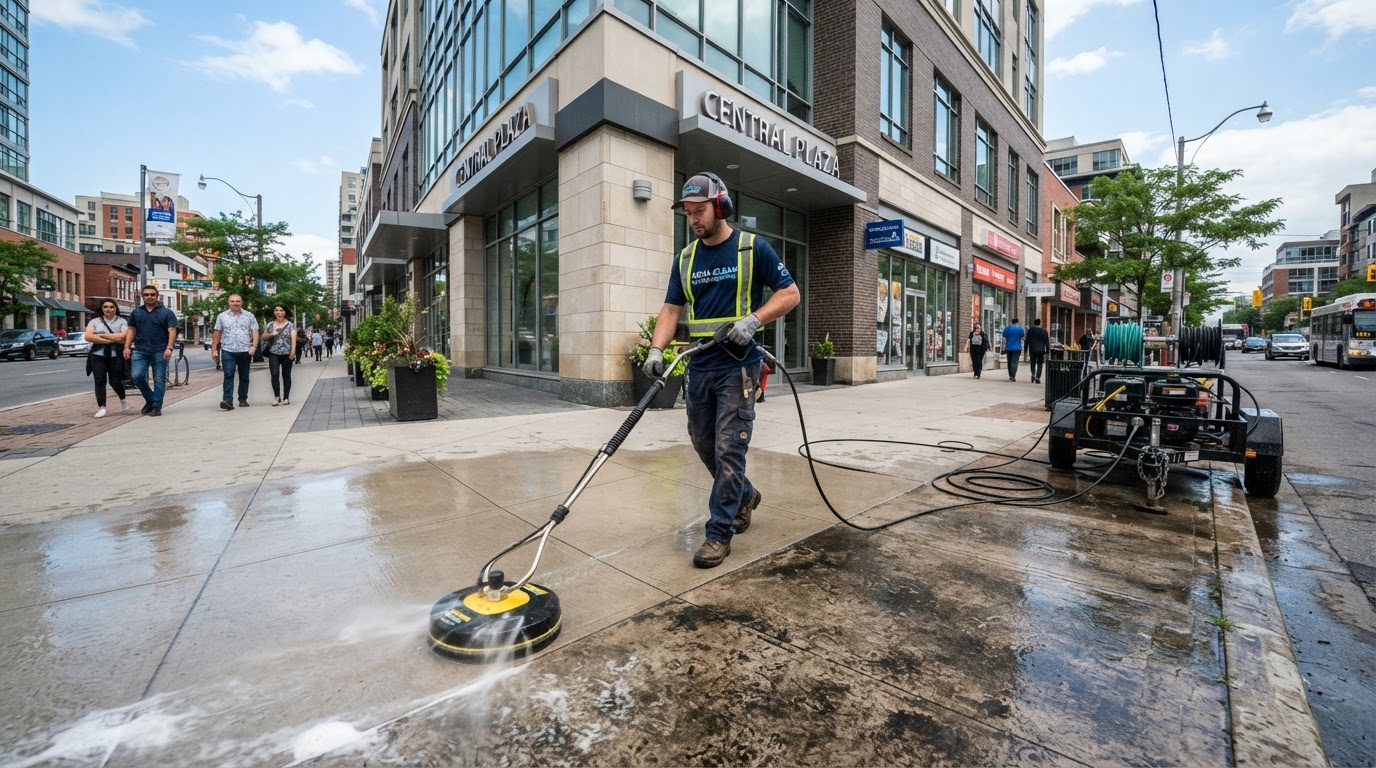
Post before-and-after photos of commercial jobs: a parking garage before and after cleaning, a warehouse exterior with graffiti removed, a fleet of trucks after washing. Include photos of your equipment, your crew on site, and your company vehicles. Google favors profiles with recent, high-quality photos, and property managers look for visual proof that you work on buildings like theirs.
Keep Photos Current
Upload new photos regularly — at least once a month. Stale photo sets from two years ago signal an inactive business. Fresh photos show that you are actively working and taking on commercial projects.
Reviews: Genuine, Consistent, and Compliant
Reviews are one of the strongest trust signals on your profile. Property managers read them. Google considers them when evaluating your business. But reviews must be genuine, and the way you collect them must follow Google's policies.
Do Not Gate Reviews
Review gating — filtering customers so only happy ones are asked to review — violates Google's policy. Ask every customer for a review, regardless of whether you think they had a positive experience. You can read more about building a compliant review system in our guide for commercial cleaning companies in San Antonio.
Do Not Offer Incentives
Never offer discounts, gift cards, or free services in exchange for reviews. Google prohibits incentivized reviews, and they can be removed or lead to profile suspension.
Ask Consistently
The most effective approach is to ask for a review after every completed job. Automate the request — send a text or email with your direct Google review link within 24 hours of finishing the work. A steady stream of genuine reviews signals an active, trusted business. You can see what we measure and track as part of our system.
Posts and Q&A
GBP Posts
Google Business Profile posts are short updates that appear on your profile. Post weekly: a recent job with before-and-after photos, a seasonal service reminder (e.g., "Schedule your parking lot cleaning before winter"), or a tip for property managers. Active profiles signal to Google that your business is operational and engaged.
Q&A Section
Pre-populate your Q&A with common questions property managers ask: "Do you offer commercial pressure washing?" "What areas do you serve?" "Do you provide free estimates?" "What types of surfaces do you clean?" Answer each one clearly. This saves prospects time and gives Google more context about your services.
NAP Consistency Across the Web
NAP stands for Name, Address, and Phone number. Google checks whether your business information is consistent across the web — your website, directories, social profiles, and your GBP. If your phone number or business name varies between sources, Google may have less confidence in your listing.
Make sure your NAP is identical everywhere. Use the exact same business name, the same phone number format, and the same address (or service-area description) across your website, GBP, Yelp, Angi, Facebook, and any other directory where your business appears.
Tracking Calls and Form Submissions
A well-optimized profile should generate more calls and inquiries. But if you are not tracking those calls, you cannot tell whether your GBP is working. Use call tracking or a dedicated phone number on your profile so you know which leads come from Google. Track form submissions from your website separately.
Knowing where your leads come from helps you decide where to invest time and money. If your GBP generates a steady stream of calls, doubling down on optimization makes sense. If it does not, you may need to revisit your categories, photos, or service areas.
Common Suspension-Risk Mistakes
Several practices can put your profile at risk of suspension:
- Keyword-stuffed business name: Adding city names or service keywords to your legal business name. Use your real name only.
- Fake or virtual addresses: Listing an address where you do not actually operate. Google verifies addresses and suspends violators.
- Incentivized or gated reviews: Offering rewards for reviews or filtering who gets asked. Both violate Google's policies.
- Duplicate profiles: Creating multiple profiles for the same business. If you moved or changed your name, update the existing profile rather than creating a new one.
- Listing services you do not offer: Adding categories or services to appear in more searches. Google can detect mismatches.
If your profile is suspended, you can request reinstatement through Google Business Profile support, but the process can take weeks and is not guaranteed. Prevention is far easier than recovery.
Ongoing Monthly Maintenance
A Google Business Profile is not a set-it-and-forget-it asset. Google updates its features, competitors change their profiles, and your business evolves. A monthly maintenance routine keeps your profile accurate and active:
- 1Check for accuracy: Review your hours, services, service areas, and contact information. Update anything that has changed.
- 1Upload new photos: Add before-and-after photos from recent commercial jobs.
- 1Post an update: Write a short GBP post about a recent project or seasonal service.
- 1Respond to reviews: Thank customers for positive reviews and respond professionally to any negative ones.
- 1Check for duplicates: Search Google for your business name and address to make sure no duplicate profiles have appeared.
- 1Review insights: Check your GBP insights for search queries, call volume, and photo views. Use this data to refine your approach.
Your 30-Day Google Business Profile Checklist
**Week 1: Foundation**
- Claim and verify your profile if you have not already
- Set up as a service-area business with your real address hidden
- List every community you genuinely serve
- Choose your primary and secondary categories
- Write an accurate 750-character business description
**Week 2: Content and Services**
- Add every service you offer as an individual listing
- Upload 10–15 photos of commercial pressure washing jobs
- Fill in all applicable attributes
- Pre-populate 5–7 Q&A entries
**Week 3: Reviews and Consistency**
- Set up automated review requests with your direct Google review link
- Audit your NAP across your website and major directories
- Ask your last 10 commercial clients for genuine reviews
**Week 4: Engagement and Tracking**
- Set up call tracking on your profile
- Post your first weekly GBP update
- Review your GBP insights and note baseline metrics
- Schedule a recurring monthly maintenance reminder
A Profile That Works for Your Business
A well-configured Google Business Profile helps commercial pressure washing companies appear in the searches that matter — when property managers and facility managers are actively looking for a contractor. It does not guarantee rankings, and it does not replace the need to answer calls quickly, show up for site visits, and follow up on bids. But it puts you in the conversation.
If you want to see where your business might be losing opportunities — from missed calls to slow follow-up to gaps in your local visibility — request a Free Lead-Loss Audit. We will review how your current lead response, follow-up, and local visibility are working and identify where improvements could help.